> For the complete documentation index, see [llms.txt](https://docs.wildmail.io/llms.txt). Markdown versions of documentation pages are available by appending `.md` to page URLs; this page is available as [Markdown](https://docs.wildmail.io/deutsch/konto-und-abrechnung/kundigungen/konto-kundigen.md).
# Konto kündigen
{% hint style="info" %}
Du möchtest dein Wild Mail Konto kündigen? So gehst du vor.
{% endhint %}
### 1. Öffne deine Wild Mail Abrechnungs-App
Wie du dich in der Abrechnungs-App anmeldest, erfährst du [**hier.**](https://docs.wildmail.io/account-and-billing/wild-mail-app-login)
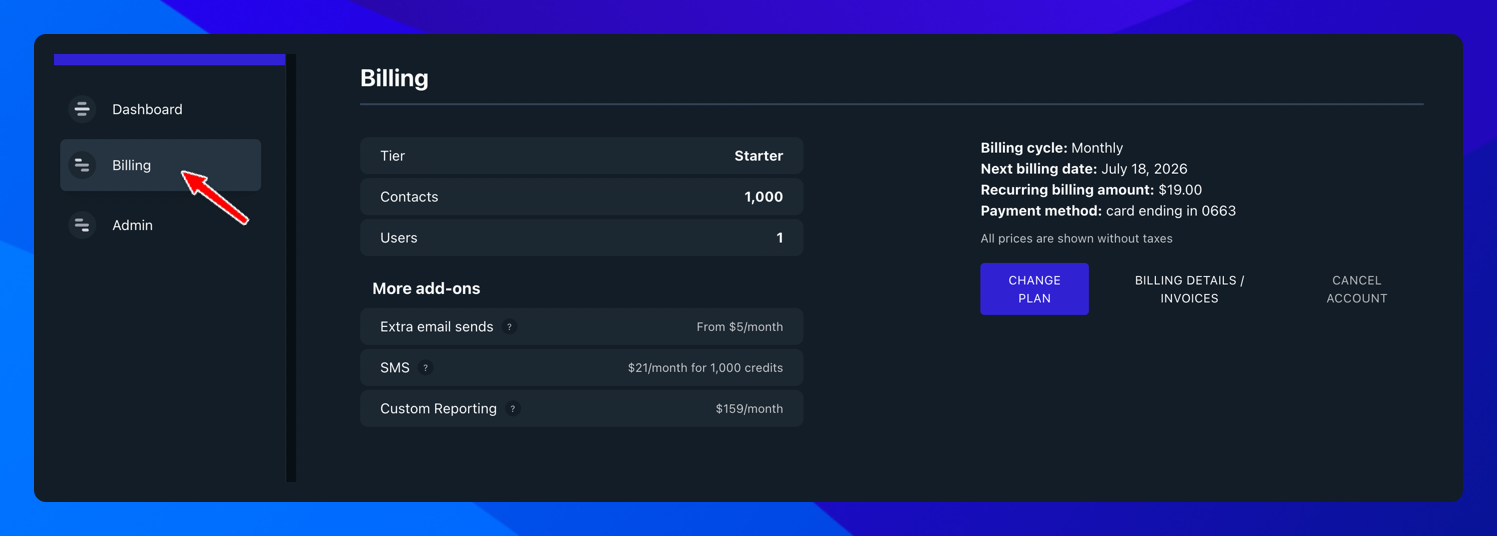
### **2.** In der Wild Mail App
Geh in der Wild Mail App auf **Billing**.
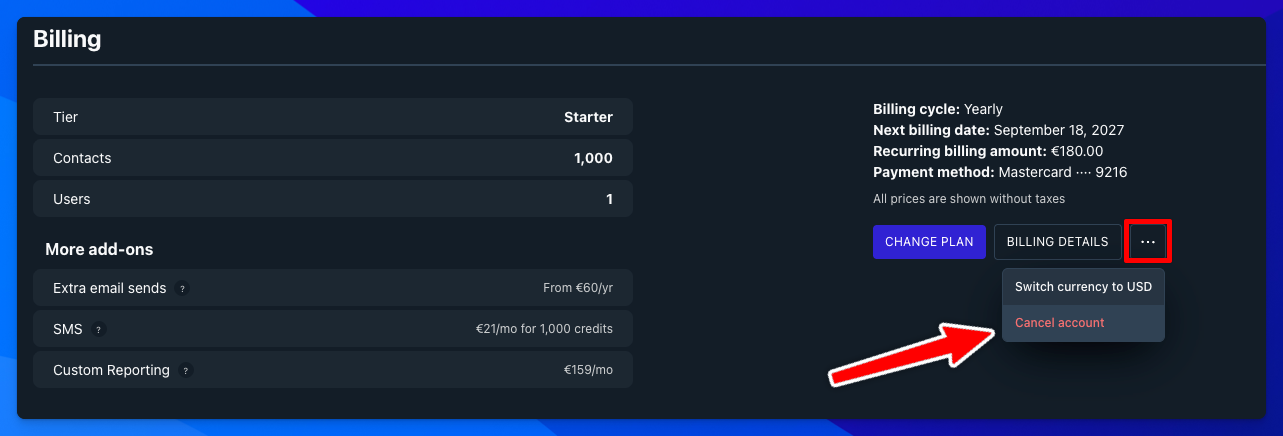
### 3. Konto kündigen
Klicke im Bereich Billing rechts auf die drei Punkte (⋯) und wähle **Cancel account**.
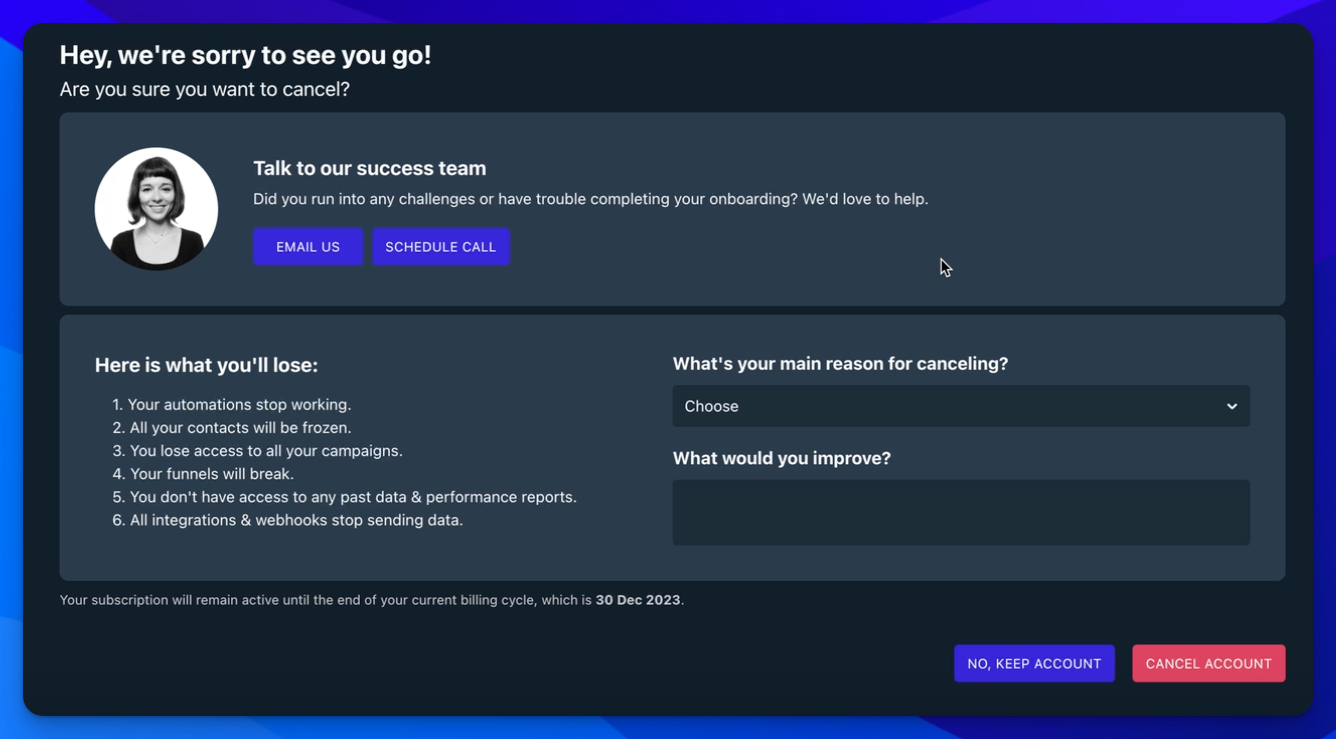
### 4. Sicherheitsabfrage
Nach dem Klick auf **Cancel Account** fragen wir noch einmal nach, ob du wirklich kündigen möchtest. Außerdem bitten wir dich in einem kurzen Formular, uns den Grund zu nennen.
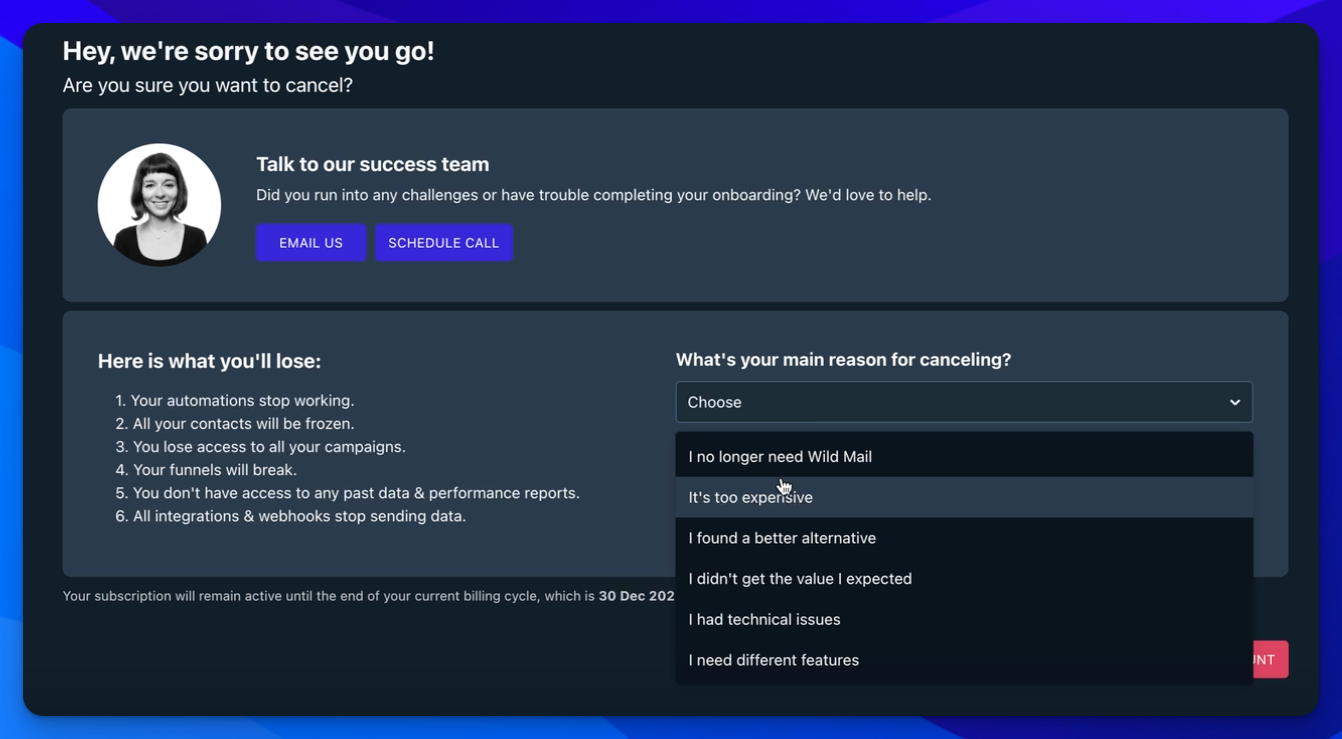
### 5. Formular ausfüllen
Wähle deinen Kündigungsgrund aus und klicke auf **Cancel account.**
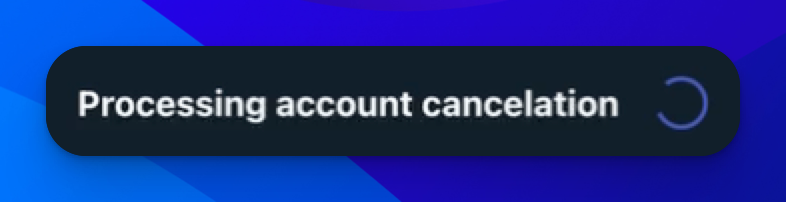
### 6. Kündigung wird bearbeitet
Die App bearbeitet jetzt deine Kündigung.
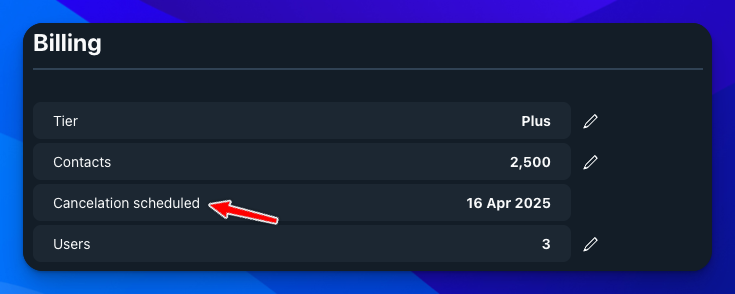
### 7. Kündigung vorgemerkt
Ist alles erledigt, siehst du diesen Bildschirm. Dort steht, zu welchem Datum dein Konto automatisch gekündigt wird.
Du hast es dir anders überlegt und möchtest dein Konto wieder aktivieren? Dann schreib uns an **.**